
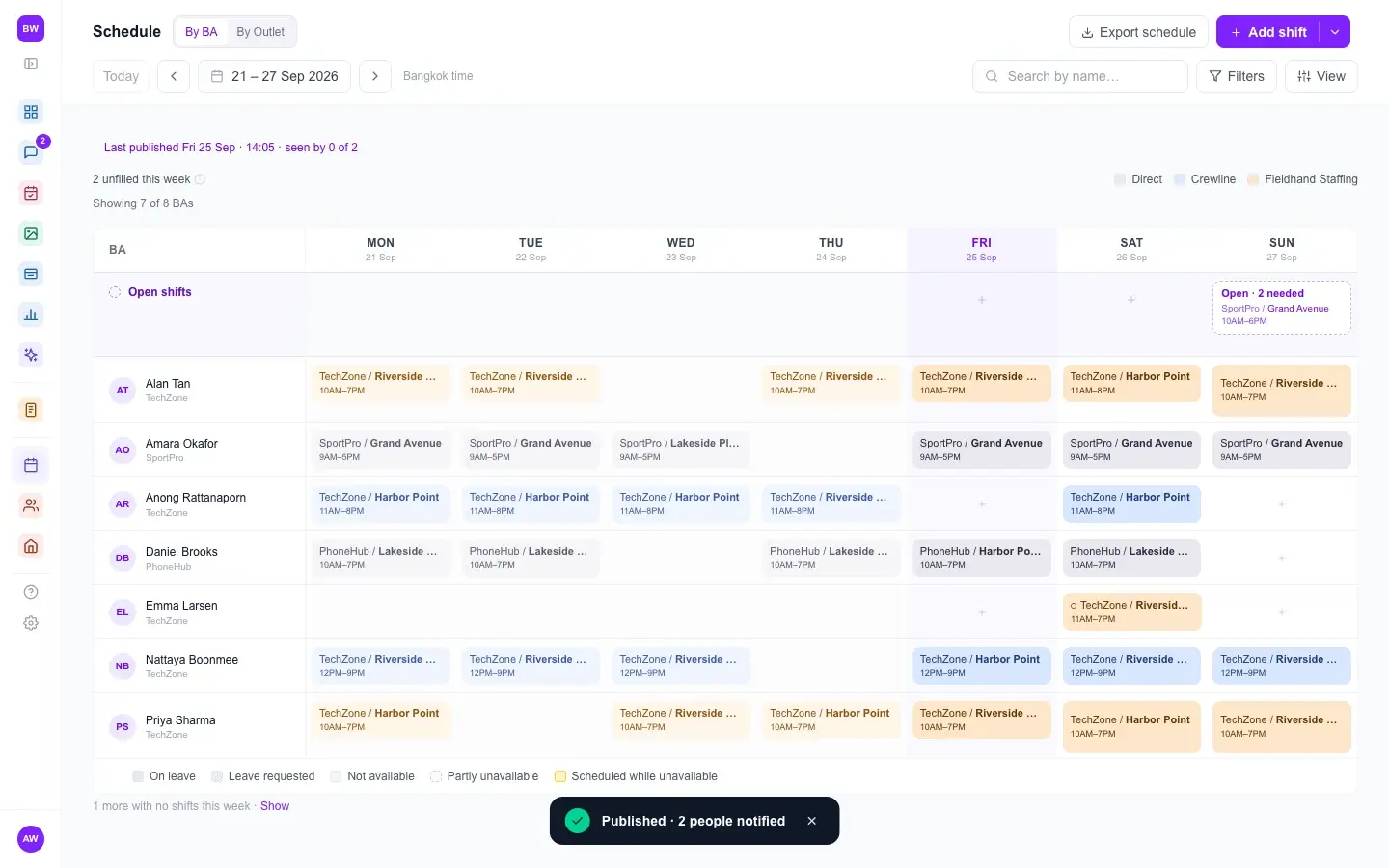
01 · Schedule
Plan the week's schedule in minutes.
- Add many shifts at once, or import them from Excel
- Plan in draft, then publish and notify everyone in one go
- Staff request open shifts, time off and availability in the app
Field team operations
Tasknex gives staffing agencies and brands one place for schedules, GPS clock-in at the outlet, customer logs and payroll.
The old way
Shift changes get lost in the chat. Half the team sees the update. The other half goes to the wrong outlet.
You can't do payroll from selfies and "I'm here" messages. You need records you can trust.
Every month, you lose a week matching chat messages to timesheets.
Industries
Pick your industry when you sign up. Tasknex then uses the right words for your staff and places, what they record, and why a sale didn't happen.
New log
BA
Customer type
Outcome
Photo proof
Clock-in at Outlet
Task list
Merchandiser
Photo proof
Clock-in at Outlet
New log
Beauty Advisor
Customer type
Outcome
Photo proof
Clock-in at Counter
New log
Promoter
Customer type
Outcome
Photo proof
Clock-in at Store
Task list
Cleaner
Photo proof
Clock-in at Site
Task list
Event Staff
Photo proof
Clock-in at Venue
New log
Field Staff
Customer type
Outcome
Photo proof
Clock-in at Location
This is the setup your account starts with. You can change any label later.
How it works
01 · Schedule
02 · Clock in
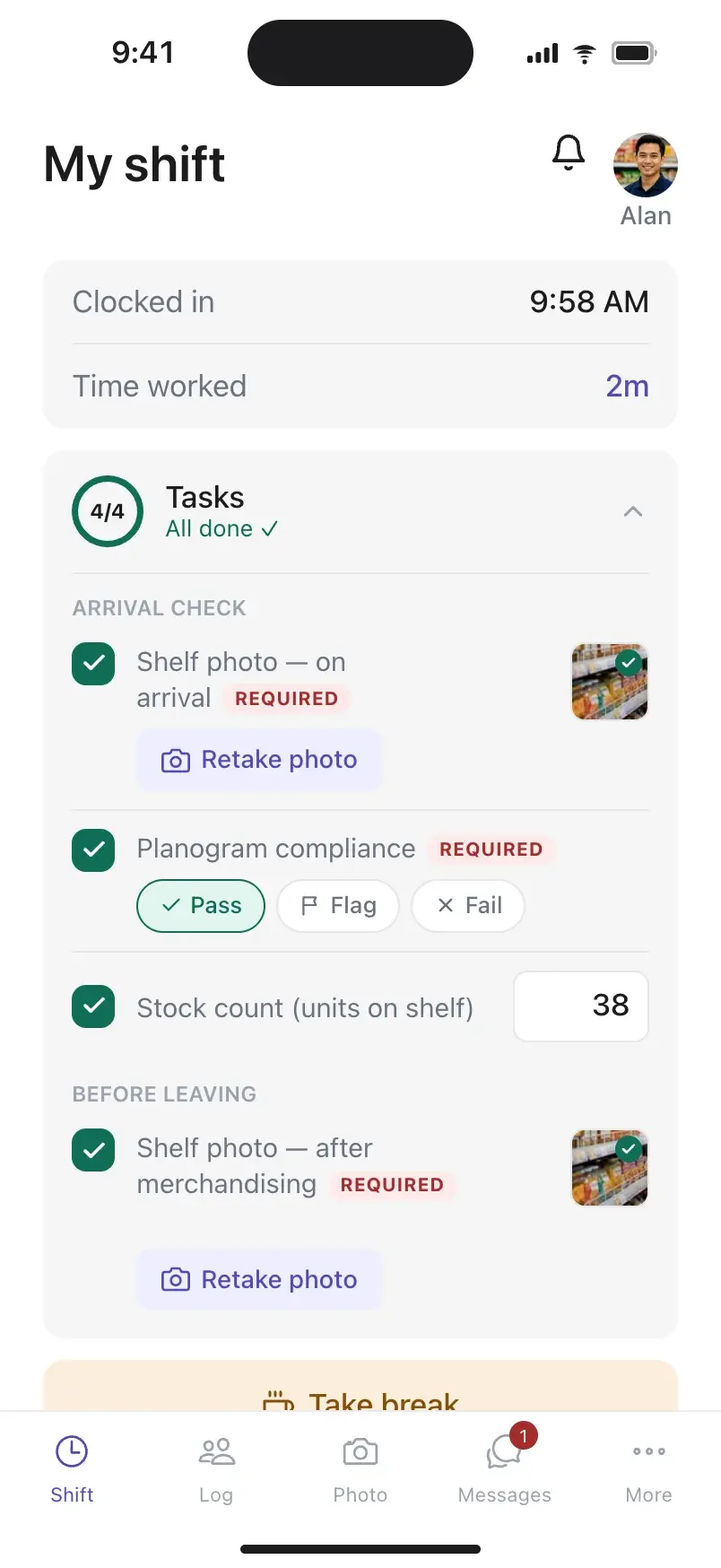
Every industry comes with a starting task list. You can change it.
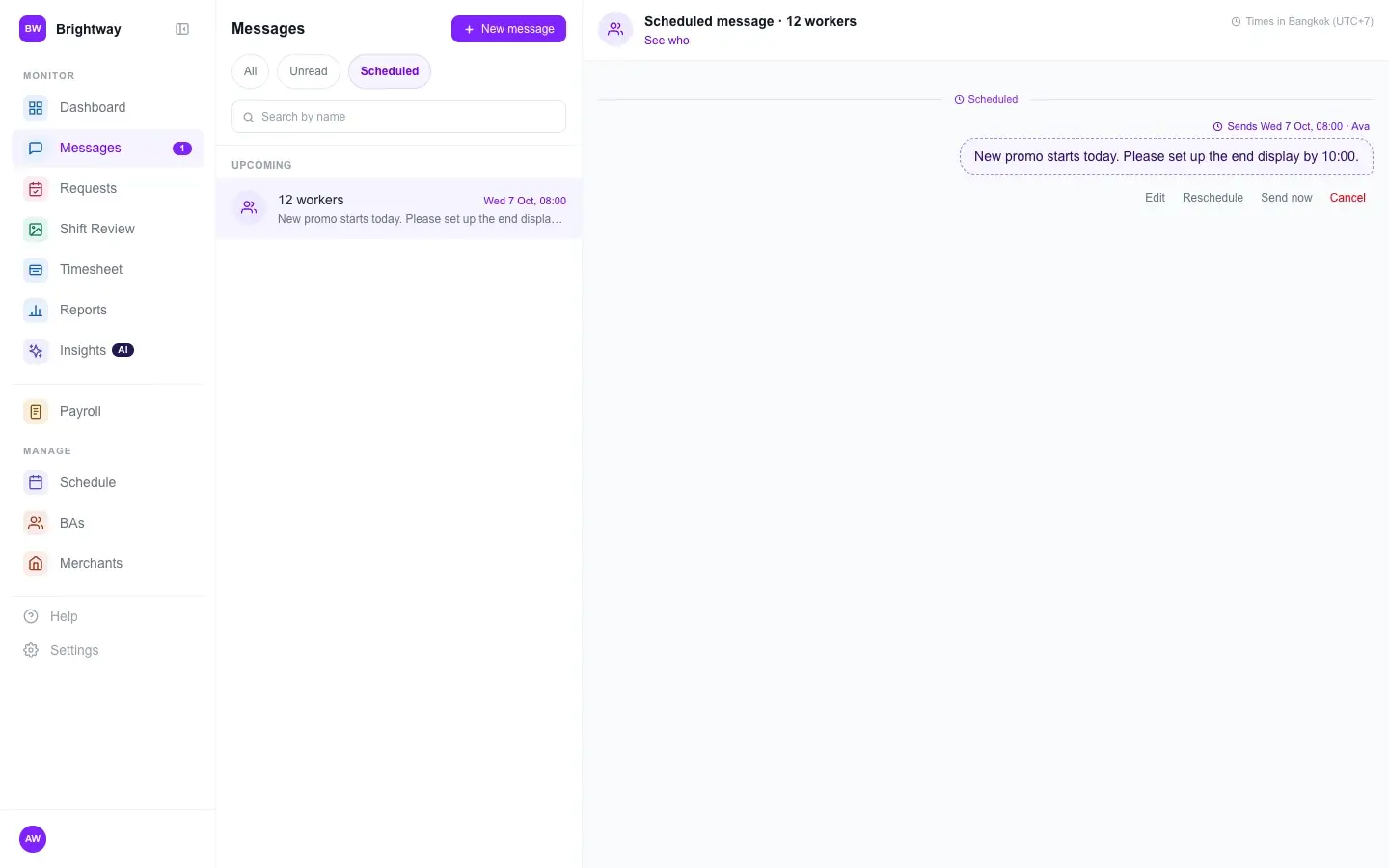
03 · Messages
Analytics
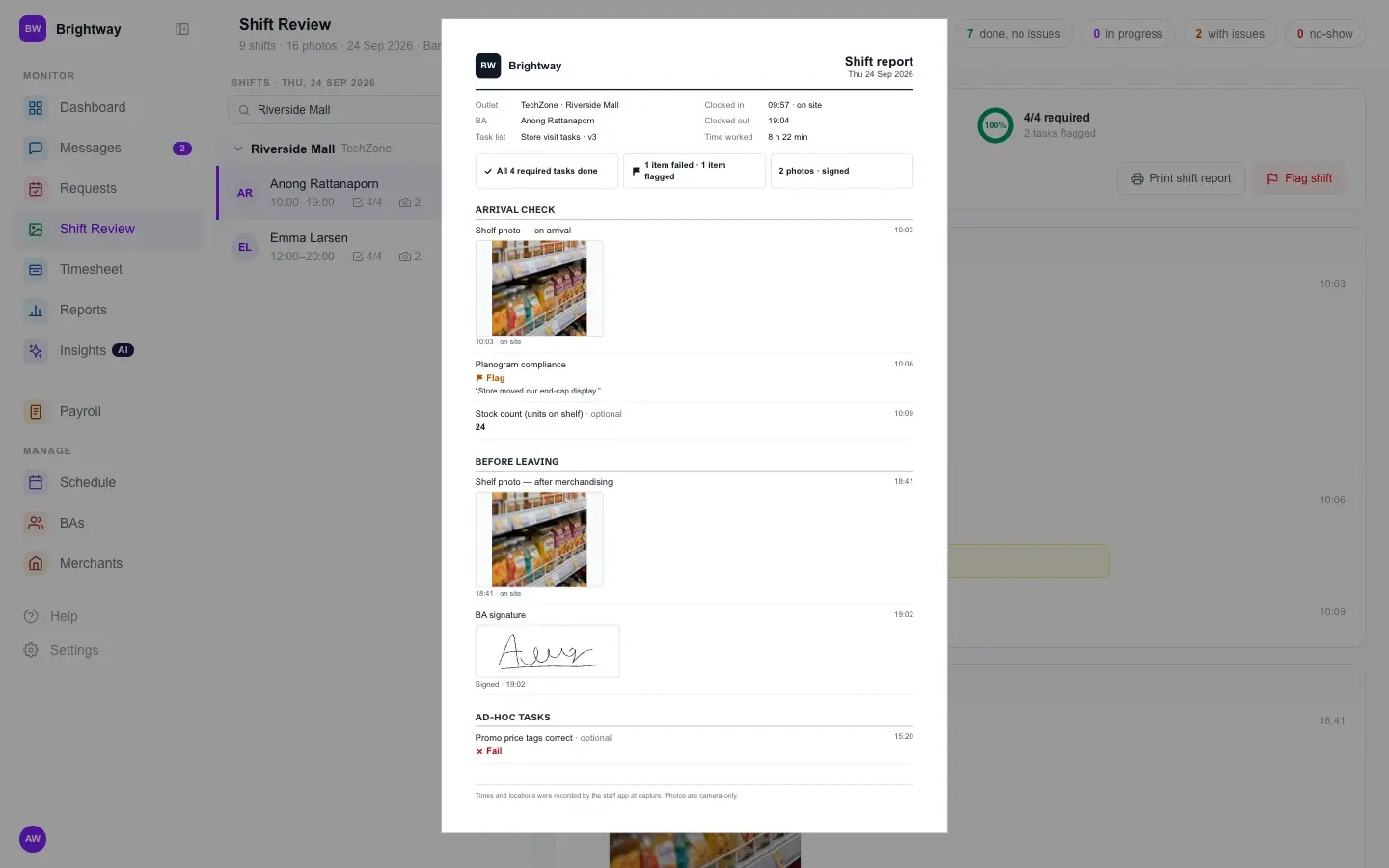
A quick look: rankings, task results and a printed shift report
Also included
Morning at one mall, evening at another. Staff switch between shifts in the app.
The staff app works in English and Thai. Each person picks their own language.
No-shows are paid zero, and incentives are worked out for you. Export to CSV and pay.
Missed clock-ins and missing photos show as alerts on your dashboard.
Pricing
Each plan covers up to a set number of field staff. All plans start with a 14-day free trial. No credit card needed.
Micro
$6/monthSave 33%
billed yearly $72
$9/month
billed monthly
Up to 5 field staff
2 dashboard users
Starter
$19/monthSave 34%
billed yearly $228
$29/month
billed monthly
Up to 20 field staff
3 dashboard users
ProRecommended
$29/monthSave 40%
billed yearly $348
$49/month
billed monthly
Up to 80 field staff
10 dashboard users
Max
$59/monthSave 40%
billed yearly $708
$99/month
billed monthly
Up to 300 field staff
30 dashboard users
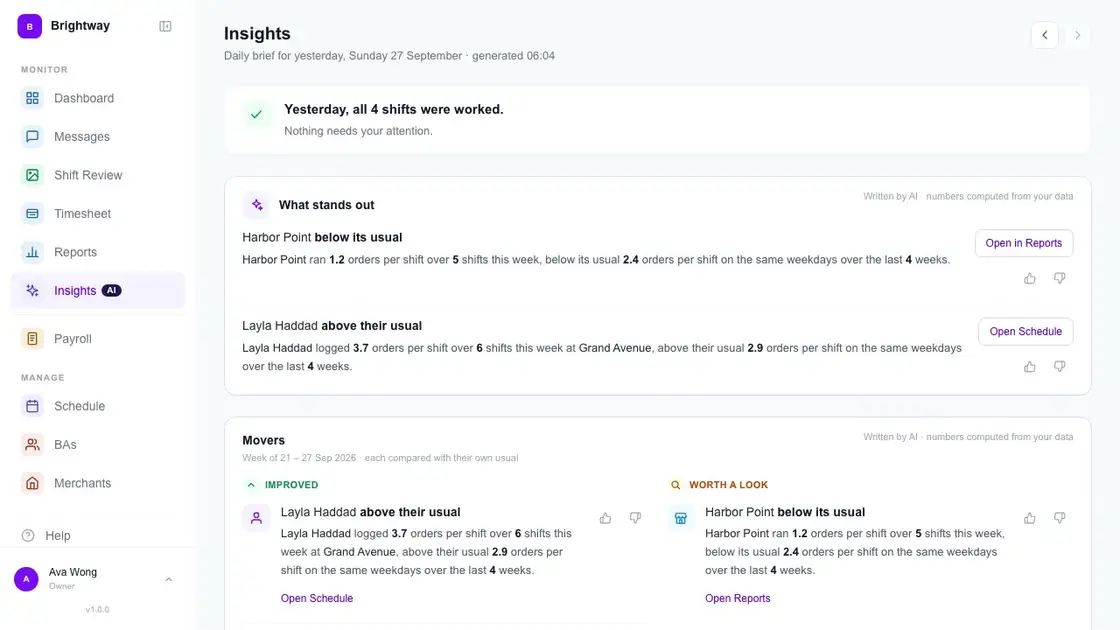
AI daily summary (Insights)
FAQ
Each outlet has a set area on the map (a geofence). When staff clock in, the app checks that they are inside it. A weak signal indoors doesn't stop clock-in. If a check fails, staff can call their supervisor with one tap, and a manager can allow the clock-in from the dashboard. Every allowed clock-in is recorded.
Yes. Your schedules, attendance and sales data belong to you. We do not sell or share them. The app checks location only while it is open during a shift. There is no tracking in the background, no location history and no map of where staff are.
If they can use a group chat, they can use Tasknex. Staff sign in with their phone number, clock in with one tap, and record their work in a simple step-by-step form, in English or Thai. Most teams start using it on the first day.
You can use Tasknex in any country. The app and the dashboard are in English and Thai, with more languages on the way.
Start your 14-day free trial, or talk to us and we'll help you set up.